
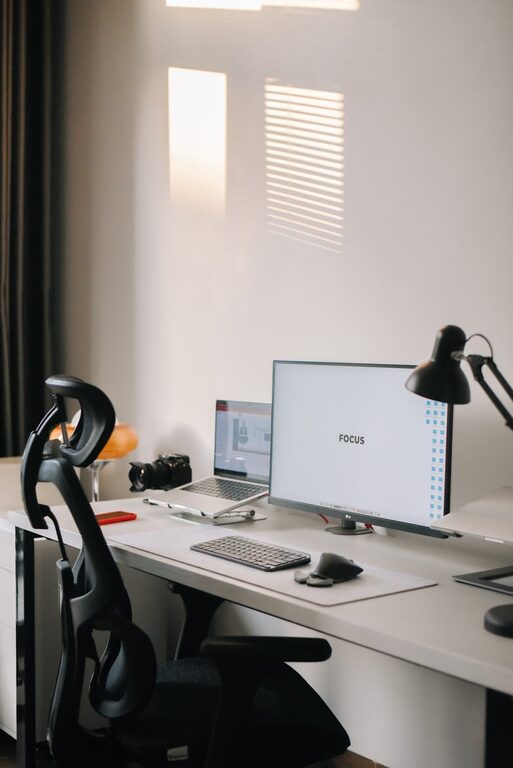
Simple Tips for Organizing Your Home Workspace for Better Productivity
Creating a productive home workspace is essential for maintaining focus and efficiency, especially as more people work remotely or tackle projects from home. A well-organized environment can reduce distractions, save time, and boost your motivation. Here are some simple tips to help you organize your home workspace for better productivity.
1. Choose the Right Spot
Your workspace location plays a significant role in your ability to focus. Select a quiet area with minimal foot traffic and distractions. Natural light is a bonus—try setting up near a window if possible. Avoid spaces where you tend to relax or watch TV, such as the couch or bedroom, to help your brain associate the area with work.
2. Declutter Your Desk Area
Clear surfaces can improve concentration and reduce stress. Start by removing everything from your desk and only put back the essentials:
– Computer or laptop
– Keyboard and mouse
– Notepad or planner
– A few pens or pencils
– Necessary chargers or cables
Store or throw away items you rarely use. Consider using cable organizers to keep cords neat and prevent tangling.
3. Use Proper Storage Solutions
Organizing supplies and documents helps keep your desk tidy and makes it easier to find what you need quickly.
– Drawers: Use drawer dividers or small containers to separate items like paperclips, sticky notes, and pens.
– Shelves: Install floating shelves or use a bookcase for books, binders, or reference materials.
– Filing System: Set up a simple filing system with folders or binders to keep important papers organized.
Label storage containers and folders clearly to save time searching later.
4. Optimize Your Desk Setup
An ergonomic and efficient setup can increase comfort and reduce physical strain during long work sessions.
– Place your monitor or laptop screen at eye level to avoid neck strain.
– Use a comfortable chair with good back support.
– Keep frequently used items within arm’s reach to prevent unnecessary stretching.
– Consider a desk lamp to provide focused lighting, especially in the evening.
5. Personalize Your Workspace, but Keep it Minimal
Adding personal touches can make your workspace more inviting, but too much can create distraction. Small plants, a motivational quote, or a photo can boost your mood without cluttering your desk.
6. Set Up a Dedicated Tech Station
Keep your devices organized and ready for work.
– Use a charging station to keep devices powered and cords orderly.
– Consider wireless accessories, like a mouse or keyboard, to reduce cable clutter.
– Clean your devices regularly to prevent dust buildup.
7. Develop a Routine for Tidying Up
Take five minutes at the end of each day to organize your workspace. Put away supplies, file papers, and clear any mess. A clean space at the start of your day can improve focus and productivity.
8. Minimize Distractions
Remove items that may tempt you to procrastinate. This could include your phone, TV remote, or snacks. Use apps or settings to silence notifications during work periods, and consider noise-canceling headphones if ambient noise is an issue.
9. Use Organizational Tools and Apps
Digital tools can help you keep track of tasks and deadlines, reducing mental clutter.
– To-do lists and planners (like Trello, Asana, or a simple notebook)
– Calendar apps to schedule breaks and meetings
– Time-blocking techniques to manage your day effectively
10. Keep Your Workspace Clean
Regular cleaning helps maintain a pleasant and healthy environment.
– Wipe down surfaces weekly.
– Dust equipment and shelves.
– Empty trash containers regularly.
Final Thoughts
Organizing your home workspace doesn’t require a complete overhaul; small, thoughtful changes can make a big difference. By setting up a designated area, decluttering, optimizing your setup, and establishing routines, you create a space that supports your productivity and well-being. Start implementing these tips today and enjoy a more focused and efficient workday.
